
SMS Trade Alert Service
QuantVantage.ai offers SMS/text message alerts to keep you informed about trading signals and strategy updates in real-time. This service is completely optional and requires your explicit consent to activate.
What You'll Receive
When you opt-in to SMS alerts, you will receive text messages containing:
- Real-time trade signals for your subscribed strategies
- Symbol, action (BUY/SELL), quantity, price, and timestamp information
- Multi-signal updates when multiple trades are executed simultaneously
- Confirmation of successful signal posting
Message Samples
Below are examples of the types of SMS messages you may receive:
How to Opt-In
To receive SMS alerts, you must explicitly opt-in during the subscription process:
- Enter your phone number in the "Alert Phone" field on the subscription page
- Check the consent checkbox: "I consent to receive SMS/text alerts from QuantVantage.ai at this phone number for signal alerts related to this subscription"
- Complete your subscription purchase
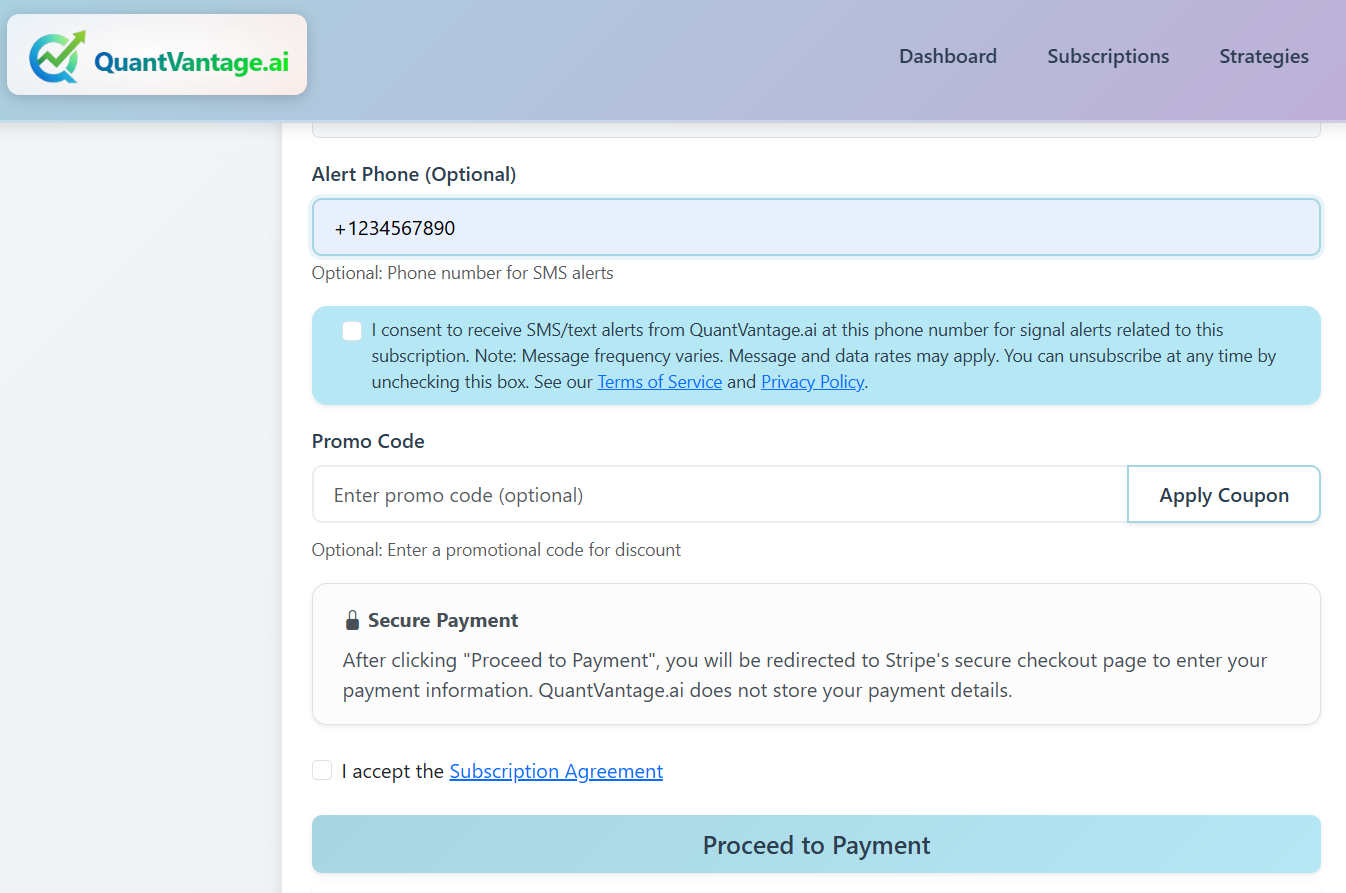
Subscription page showing SMS opt-in checkbox and phone number field
How to Unsubscribe
You can stop receiving SMS alerts at any time by logging in to your QuantVantage.ai account, navigating to your subscription settings, and unchecking the SMS consent checkbox.
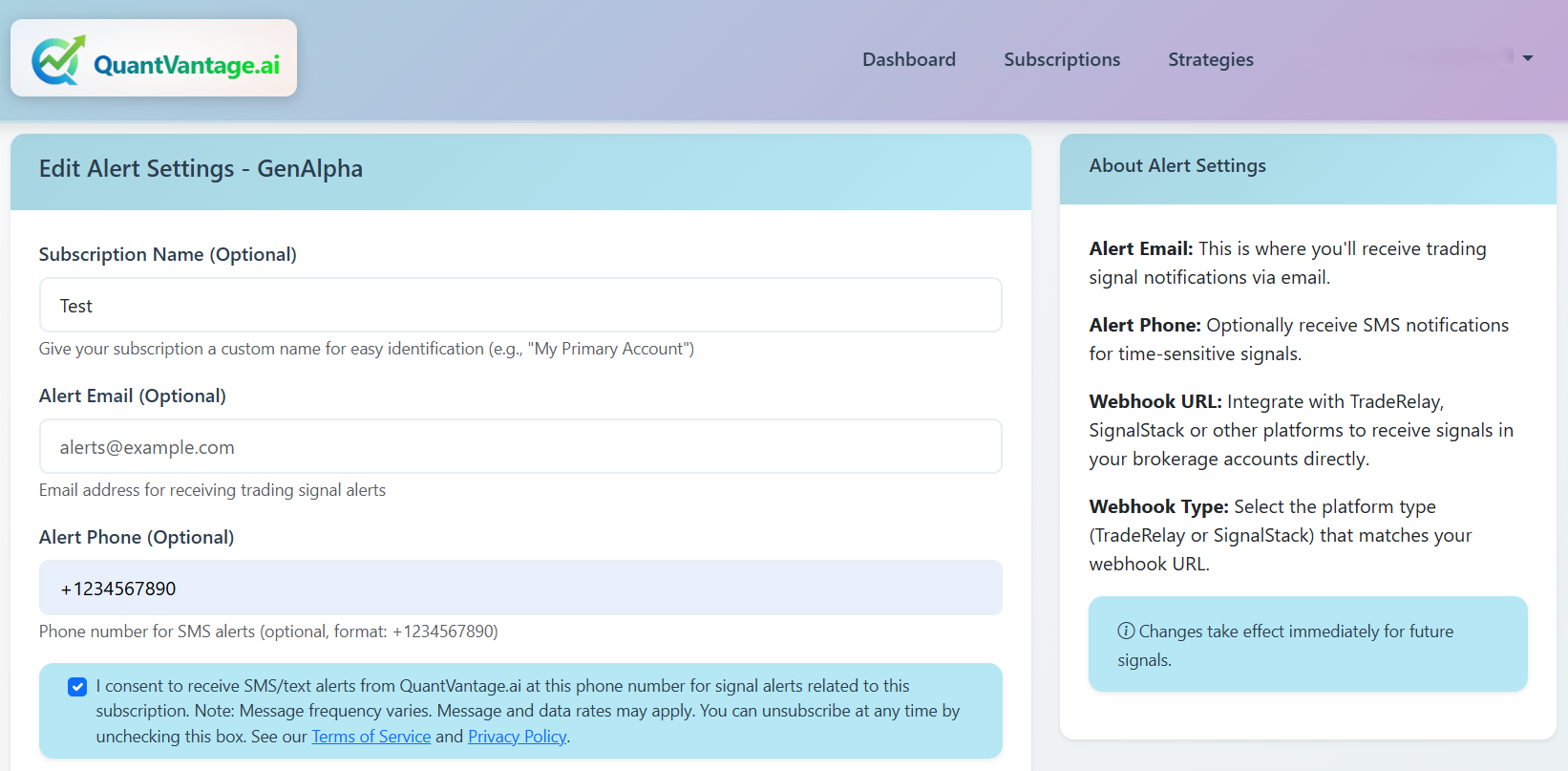
Edit Alert Settings page - Uncheck the SMS consent checkbox to stop receiving SMS alerts
Important Information
- Message frequency varies based on trading activity and strategy signals
- You may receive multiple messages per day during active trading periods
- Message and data rates may apply based on your mobile carrier plan
- SMS alerts are sent only for strategies to which you are actively subscribed
- This service is provided for informational purposes only and does not constitute financial advice
Privacy and Terms
Your phone number and personal information are protected under our privacy policy. QuantVantage.ai does not store your payment details and will not share your phone number with third parties for marketing purposes.
For complete information about how we handle your data and the terms of service, please review:
Support
If you have questions about SMS alerts or need assistance with opting in or out, please contact our support team through your QuantVantage.ai account dashboard.